How doctors opt in to AnswerMed Message Alerts
Last updated: October 28, 2026
AnswerMed Message Alerts are text messages from AnswerMed Telecom, Inc. to physicians who use the AnswerMed message portal. A doctor can only opt in from inside their own signed-in portal account: they open Settings > Alerts, check the mobile number shown, read the consent text, and under Text alerts choose Urgent messages only or Every new message. Text alerts are Off until the doctor chooses one themselves; nobody else can choose for them. We record when they agreed, which choice, and which number. They can set it back to Off at any time in the same place, or reply STOP to any text.
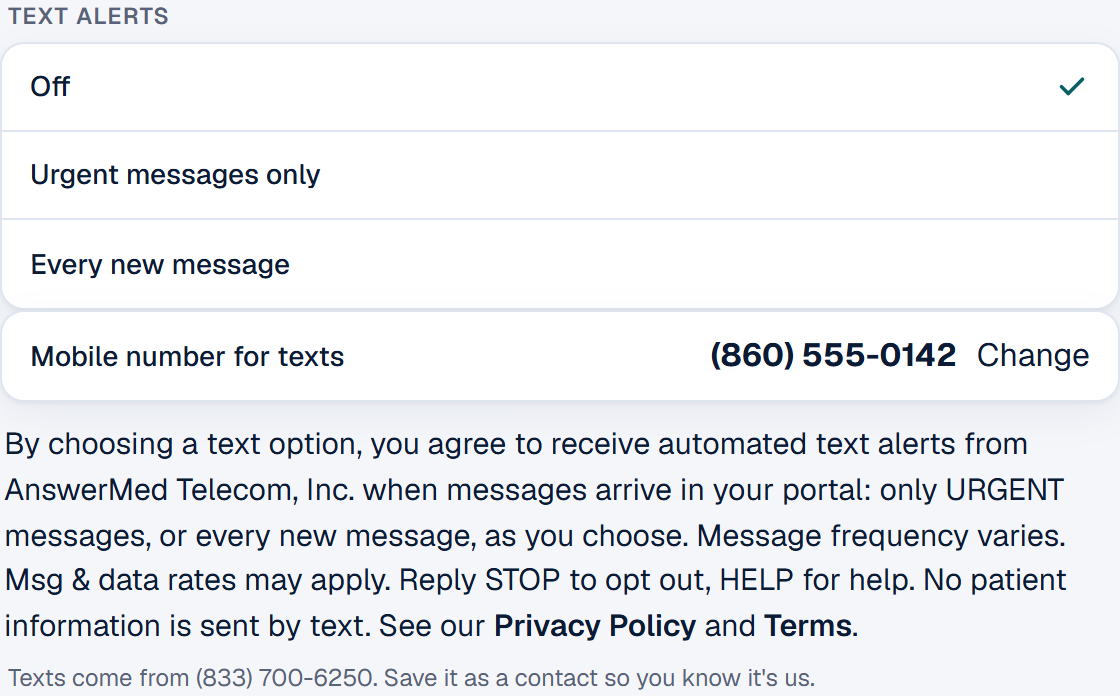
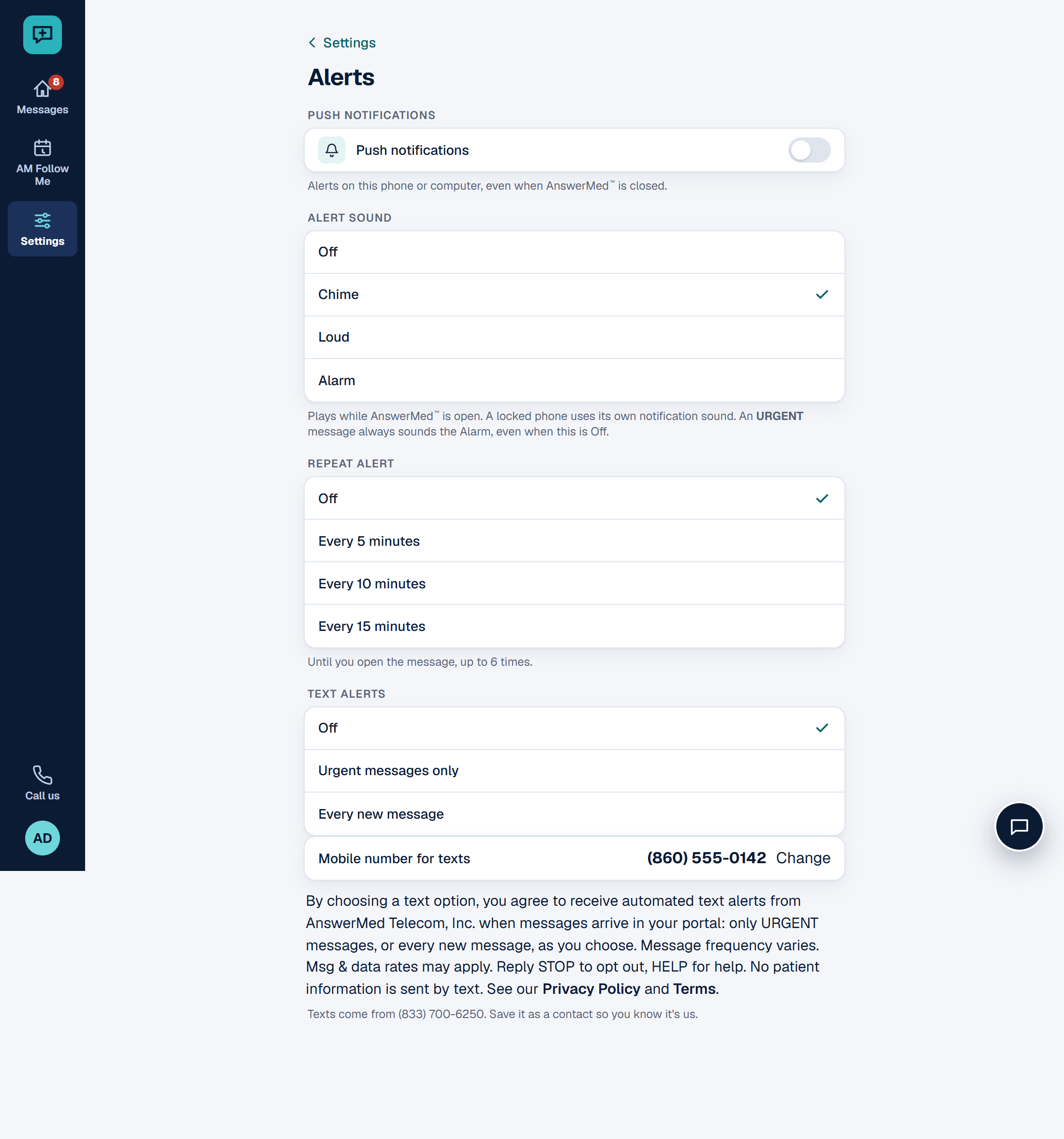
The consent text, word for word
Sample texts
AnswerMed: URGENT - a message marked Urgent is waiting. Open the AnswerMed app to view it. Reply STOP to opt out.
AnswerMed: You have a new message waiting. Open the AnswerMed app to view it. Reply STOP to opt out.
Sign-in codes and setup links (separate from alerts)
AnswerMed also sends two kinds of account texts to physicians. Each one needs the doctor's own consent, separate from Message Alerts: agreeing to one kind never signs a doctor up for another. Neither ever contains patient information.
Setup link: the doctor texts us first. A new doctor's invite email says: "Prefer a text? Text SETUP to (833) 700-6250 from your cell." When a doctor texts SETUP (or JOIN) from the mobile number on their pending invite, we reply once with their setup link. The doctor's text is their consent for that one reply only; it does not sign them up for any other texts. If the number doesn't match a pending invite, we reply once that we couldn't find one. Neither AnswerMed nor the practice ever starts a setup text on their own.
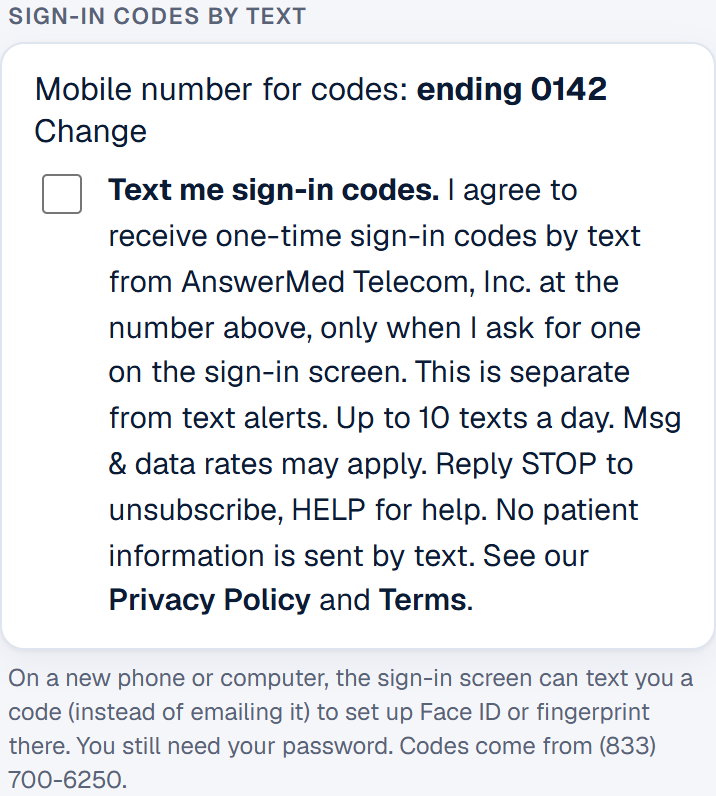
Sign-in codes: the doctor turns them on. In their own signed-in account, under Settings > Face / fingerprint sign-in > Sign-in codes by text, the doctor reads the consent text below and ticks Text me sign-in codes. We then text a code to that number, and they type it back to prove it's their phone. After that, the sign-in screen offers Text me a code as a backup to Face ID or fingerprint; their password is still required. One text per tap, at most 3 in 15 minutes and 10 a day. Codes are Off until the doctor turns them on; nobody else can turn them on. They can untick it at any time, or reply STOP.
We record who agreed, the number, the date and how they agreed (their SETUP text, or the Settings tick box), and keep that record until they opt out.
The sign-in code consent text, word for word
Sample account texts
AnswerMed: Dr. Smith, tap to set up your AnswerMed app: https://www.answermedapp.com/reset-password?token=... Reply STOP to unsubscribe.
AnswerMed: we couldn't find an invite for this number. Please call (860) 871-5200. Reply STOP to unsubscribe.
AnswerMed: your code to confirm this phone is 123456. It expires in 10 minutes. Don't share it. Reply STOP to unsubscribe.
AnswerMed: your sign-in code is 123456. It expires in 10 minutes. Don't share it. Reply STOP to unsubscribe.
Reply STOP to any AnswerMed text to stop all AnswerMed texts; you get one confirmation and nothing more. Reply HELP for help.
About the program
- Program name: AnswerMed Message Alerts, from AnswerMed Telecom, Inc.
- What is sent: one text when a message arrives for the doctor in the portal, telling them to open the portal: for messages marked URGENT only, or for every new message, as the doctor chose. Also, only with the doctor's own separate consent: sign-in codes they ask for, and one setup link when they text SETUP (see above). No patient or health information is ever sent by text.
- From: (833) 700-6250. Frequency: varies with the number of messages (urgent only, or every new message). Sign-in codes: only when the doctor asks, at most 10 a day. Setup link: one reply per SETUP text. Cost: Msg & data rates may apply.
- Stop: reply STOP, or set Text alerts to Off, in Settings > Alerts, or untick Text me sign-in codes in Settings > Face / fingerprint sign-in. Help: reply HELP, call (860) 871-5200, or email dispatch@answermedtelecom.com.
- Mobile phone numbers and SMS consent are never shared with or sold to third parties for marketing.